PROJECT 01 / In use at Semper Fi
Semper Fi
HR onboarding, connected from offer to day one.
- Problem
- HR needs a clear view of offers, employee documents, corrections, and department handoffs.
- My contribution
- Built the application with AI-assisted development; defined the onboarding workflow and employee/HR experience.
- Working today
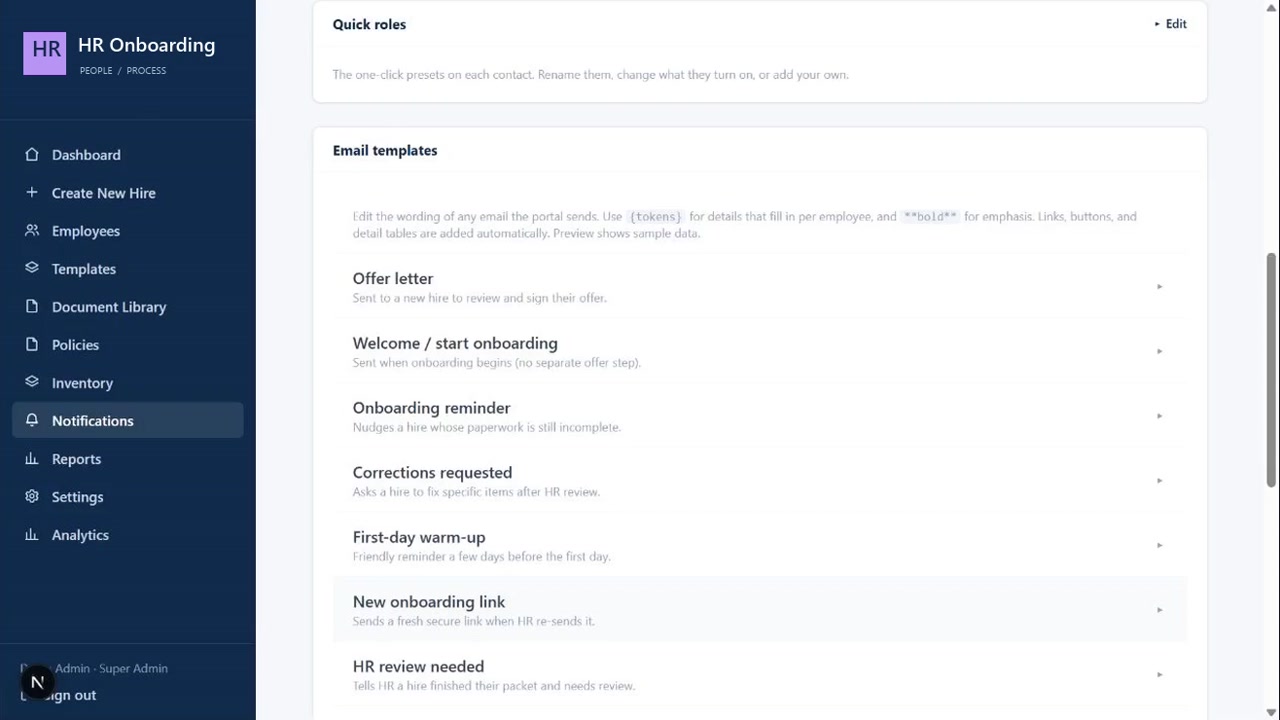
- The company uses the onboarding application. The public walkthrough uses a separate demo with fictional hires.
- Evidence
- See new-hire creation, employee records, and notifications in the walkthrough. No quantified impact study is available.
An HR onboarding application I built for Semper Fi Heating & Cooling, now used by the company. This walkthrough shows fictional hires in a separate demonstration environment.
Challenge & context
A new hire should not mean a new paper chase.
Offer letters, forms, signatures, uploaded documents, and first-day setup involve different people at different moments. When that process is spread across messages and spreadsheets, HR has to reconstruct what is complete and what still needs attention.
- Bring the employee journey and the HR review process into the same system.
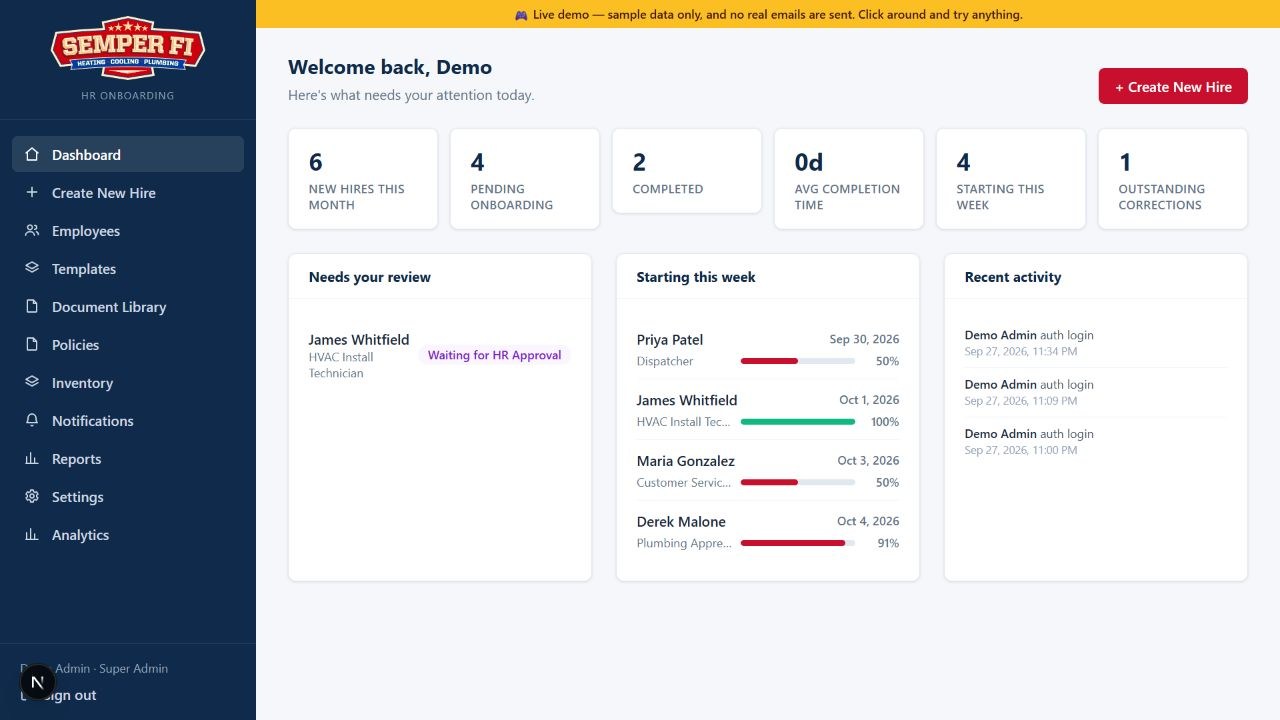
- Keep IT and Fleet handoffs behind an explicit HR approval.
- Make progress, corrections, and next steps visible.
My role & approach
Start with the handoffs. Design the screens around them.
I built this application while working at Semper Fi, using AI-assisted development to translate the onboarding process into a working product. I defined the employee journey, HR review steps, and department handoffs, then directed the interface around those requirements. AI tools supported implementation; the workflow and product decisions were my responsibility.
- Separate employee completion from HR approval so uploading a document does not automatically mean it is accepted.
- Keep correction requests attached to the employee record so the next action is visible.
- Present the work in a separate demo with fictional employees and simulated email.
Solution & key workflows
One record. A clear next step for everyone.
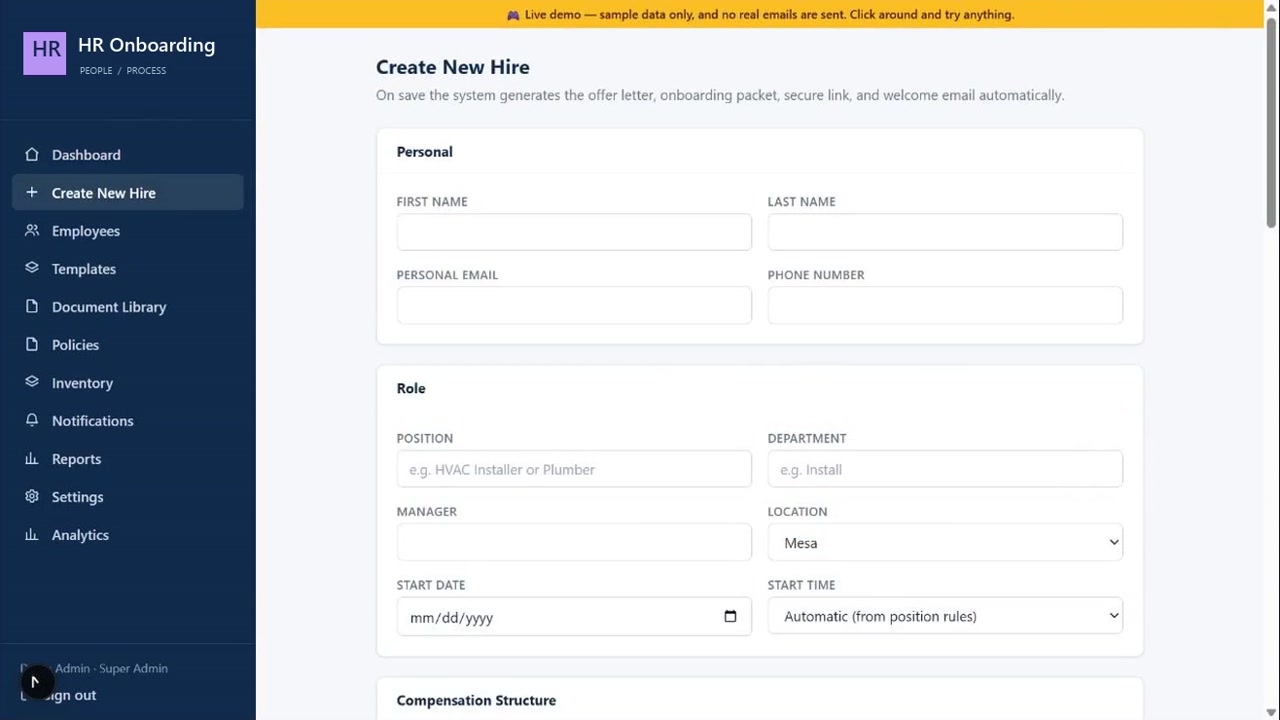
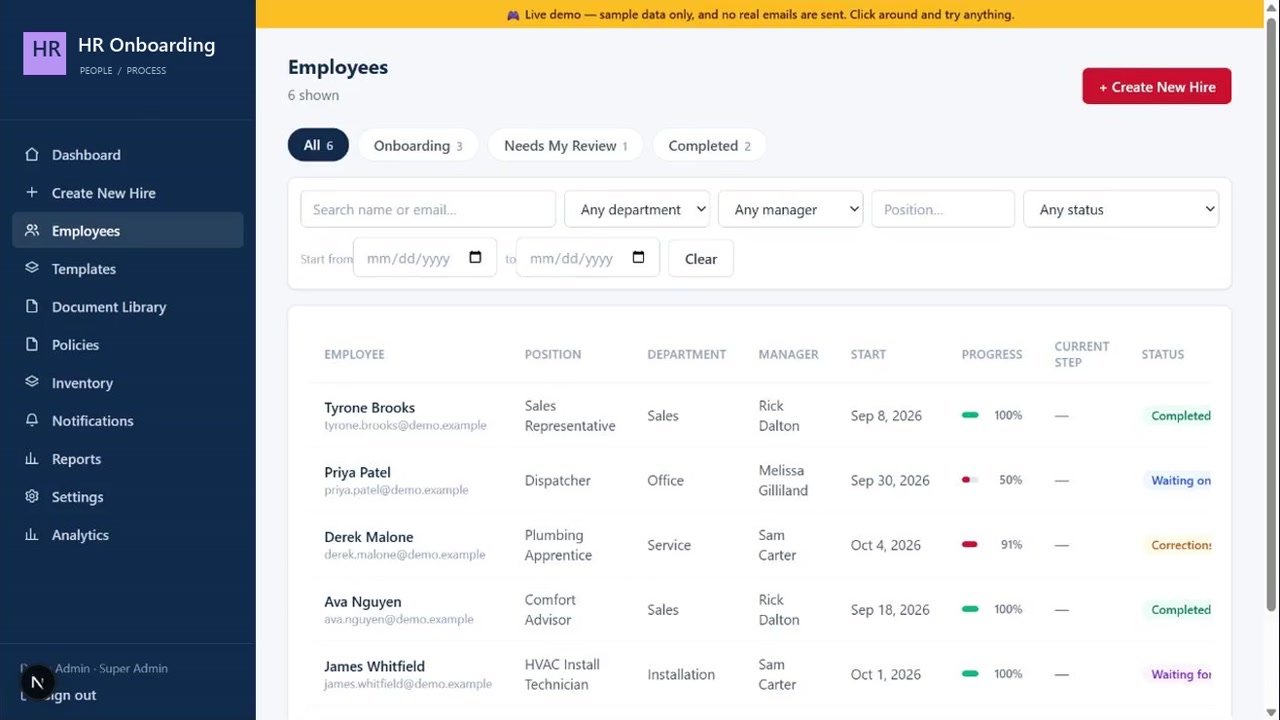
HR creates a hire and prepares the offer. The employee journey guides forms, signatures, and uploads. HR can inspect progress, request corrections, and approve the packet before downstream departments are notified.
- Create a hire and prepare an offer, then collect employee forms, signatures, and uploads.
- Review the packet; request corrections when information is missing and inspect the updated record.
- Approve the completed packet before downstream IT and Fleet handoffs. The demo simulates notifications.
Outcome & next steps
An application the company now uses.
Semper Fi Heating & Cooling now uses the HR onboarding application I built. The portfolio walkthrough shows a separate demonstration environment with sample employees, local records, and simulated notifications. This demonstrates the workflow without exposing employee information; adoption is the confirmed outcome, rather than a claimed percentage improvement.
- Confirmed outcome: internal use by Semper Fi Heating & Cooling.
- Demonstrated workflow: new-hire setup, employee records, document review, corrections, and department handoffs.
- Next: gather structured feedback from HR and new hires, track completion time and correction rates, and use that evidence to prioritize improvements.