PROJECT 01 / Portfolio demonstration
HR Onboarding
HR onboarding, connected from offer to day one.
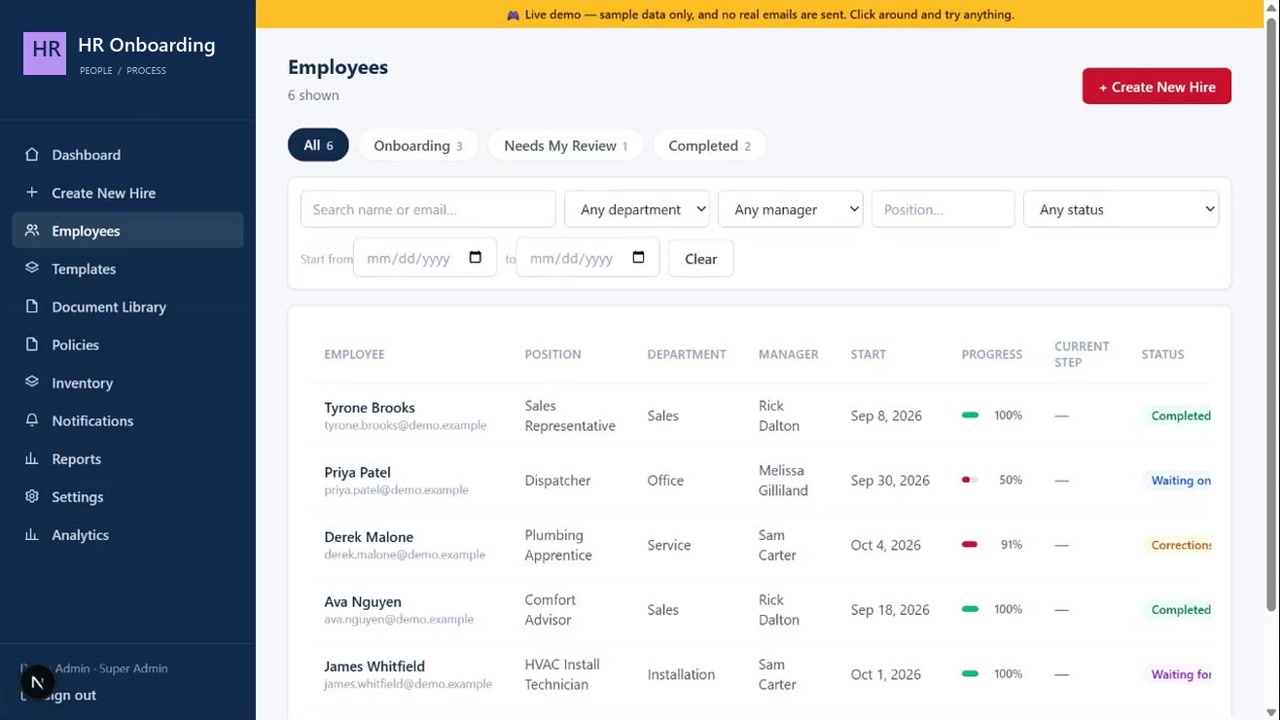
An HR onboarding application that connects offers, employee documents, reviews, and department handoffs. This employer-neutral walkthrough uses fictional hires and simulated notifications.
01 Problem
HR needs to know whether a new hire is ready to start. When offers, forms, signatures, and corrections live in separate messages and spreadsheets, that status is difficult to track.
Scattered information
HR has to piece together what each employee has submitted and what is still missing.
Unclear approval status
A submitted document still needs review. Completion and approval are different steps.
Dependent handoffs
IT and Fleet need a clear signal from HR before starting their part of onboarding.
02 Solution
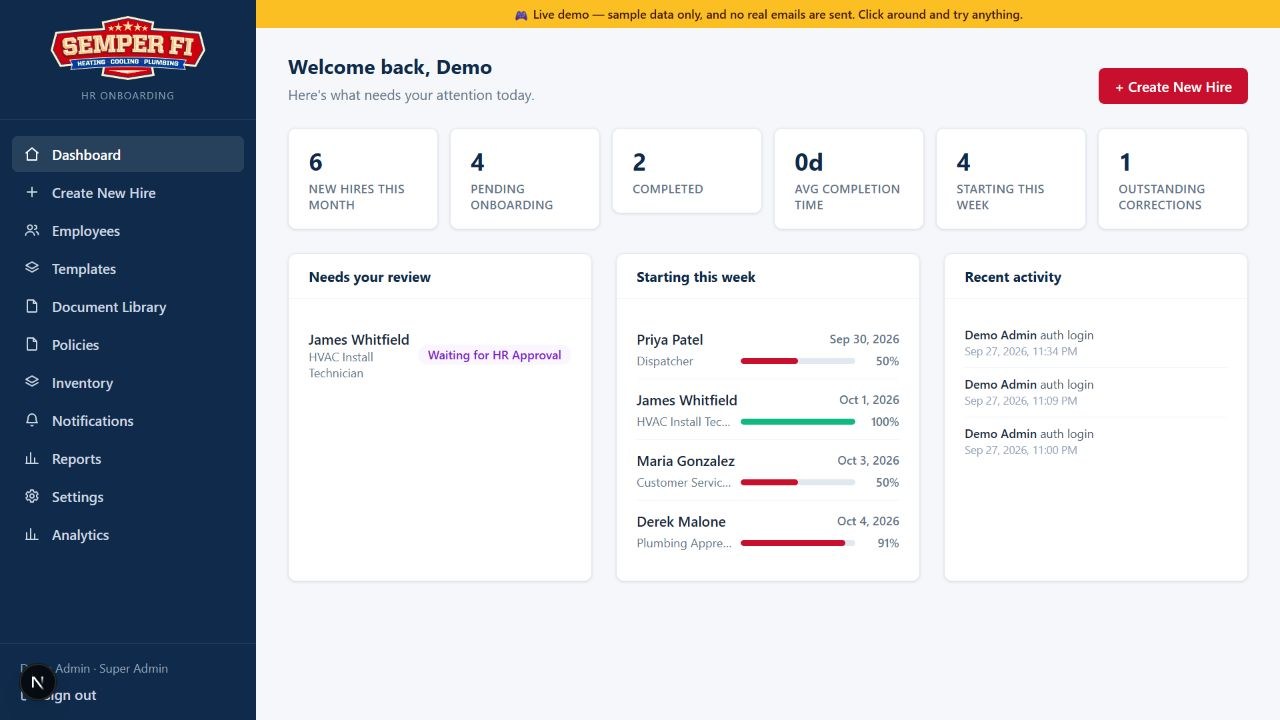
I built an onboarding application that connects the employee journey with HR review and department handoffs. Each hire has a record that keeps progress, documents, and next actions together.
One employee record
Offers, forms, signatures, and uploads stay connected to the same hire.
Explicit review and approval
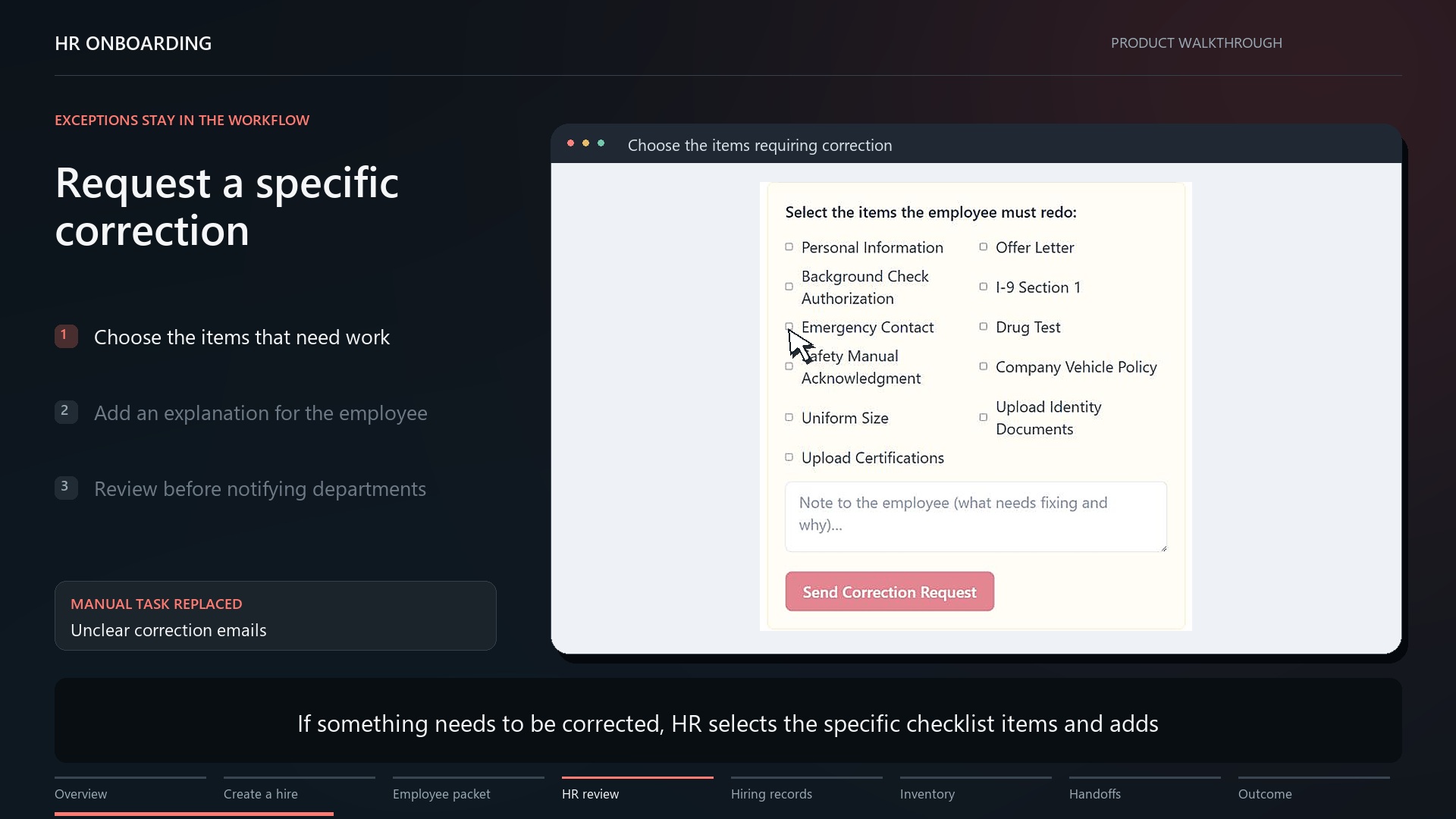
HR can request corrections and approve the packet before notifying downstream teams.
My contribution
I defined the workflow and employee/HR experience, then used AI-assisted development to build the application.
03 How It Works
The workflow moves from new-hire setup to employee completion, then HR review and approval. Corrections return to the employee before the process moves forward.
Create the hire
HR enters the new hire and prepares the offer.
Collect the documents
The employee completes forms, signs documents, and uploads the required information.
Review and correct
HR checks the packet, requests changes when needed, and reviews the updated record.
Approve and hand off
HR approves the completed packet before IT and Fleet are notified. Notifications are simulated in the demo.
04 Results
The portfolio demonstration connects new-hire setup, document collection, corrections, and department handoffs in one working application. The walkthrough shows the workflow using fictional employee records.
What the project demonstrates
An employee submission and its HR approval are separate, visible stages in the same workflow.
What is not measured
No quantified study of time savings, error reduction, or business impact is available. The public demo uses fictional data and simulated notifications.
What comes next
Evaluate usability, completion time, and correction rates to identify where the process needs improvement.